
Service-area businesses
Google Maps Rank Tracking for Service-Area Businesses
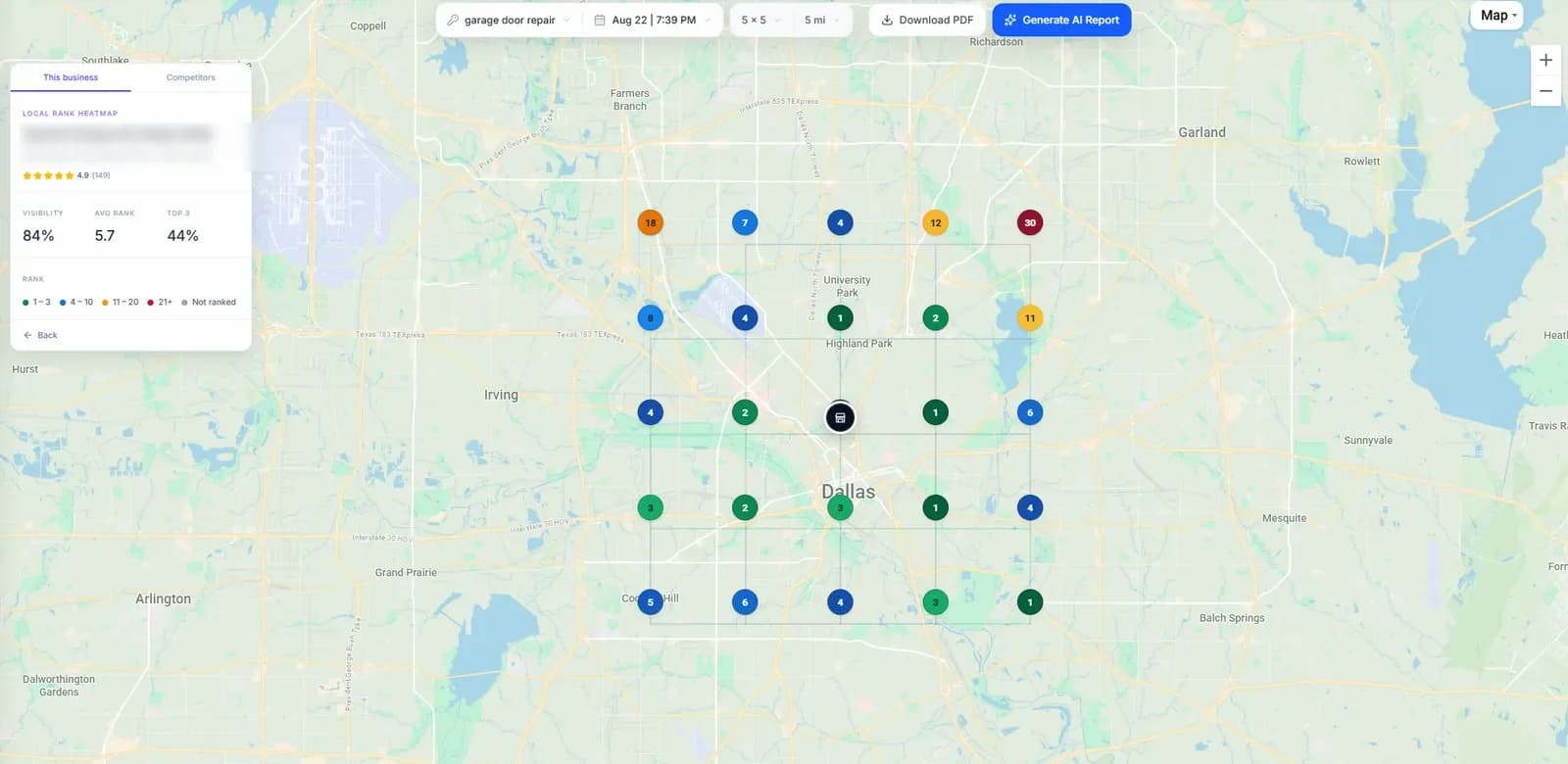
Plumbers, cleaners, locksmiths and other businesses that visit their customers hide their address on Google. That leaves most rank trackers guessing where to scan from. GridBeacon identifies your exact listing from its Maps link and centres the grid where Google actually places you, so the heatmap shows where you really rank.
No credit card required. New accounts get 500 free scan credits.
- No profile access needed
- Grids up to 21 × 21
- Radius up to 100 miles
The problem
Why Service-Area Businesses Are Hard to Track
Google's service-area business guidelines ask businesses that don't serve customers at their premises to remove their address, and to describe the areas they cover by city, postal code or region, up to 20 areas and roughly two hours of driving from their base. That creates three problems for rank tracking.
No address to centre on
Trackers that start from the business address have nothing to use, so they fall back on a city centre or ask you to guess.
The listing still has a location
Google places a service-area listing at a point on the map and ranks it from around there, not from the middle of the areas it lists.
Look-alike listings
Searching by name can match a similarly named business. Track the wrong one and every scan measures someone else.
When we added service-area support we checked real cases: city centres that owners chose were often 5 to 10 miles from where Google placed the listing, and grids centred there found little or nothing. The same business, scanned from its listing's location, showed up across its area.
How GridBeacon handles it
Tracking Built for Businesses Without an Address
- The exact listing, from its Maps link. Paste your Google Maps link and GridBeacon reads the listing's ID from it, so it can't be confused with a similar name.
- Detected automatically. When Google hides a listing's address, GridBeacon sets the business up as a service-area business.
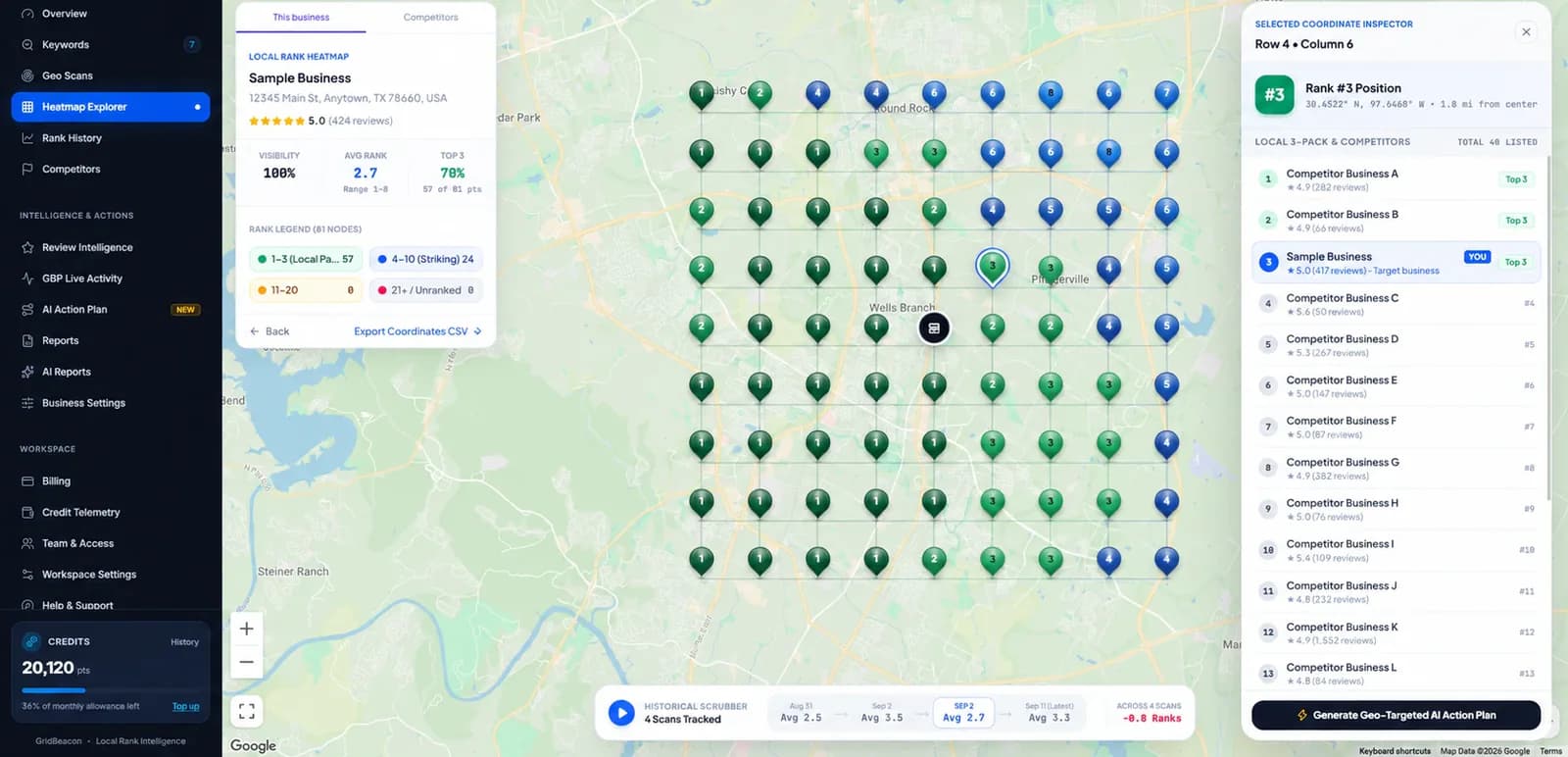
- Centred where Google places you. One click uses your Google listing's location as the grid centre, the point Google ranks you from.
- Or centre it yourself. Search a city or ZIP code, or drag the pin, with a circle showing how far the scan reaches.
- Honest about absence. If the listing isn't in the results at any point, the heatmap says so plainly.
Setup
Setting Up a Service-Area Business in GridBeacon
Copy your Maps link
Open your listing on Google Maps and copy its link from the address bar or the Share button.
Paste it in GridBeacon
Add a business, paste the link, and GridBeacon finds that exact listing.
Confirm the centre
Use your Google listing's location, recommended, or pick a city, ZIP or point.
Add keywords and scan
Choose a grid size and radius that cover your area, then run the first scan.
Tips
Rank Tracking Tips for Service-Area Businesses
Use a wider grid
Service areas are big. A 9 × 9 to 13 × 13 grid over 5 to 15 miles is a sensible start for a trade covering one city.
Track the jobs, not just the trade
“Boiler repair” and “emergency plumber” can rank very differently. Track the few searches that bring paid work.
Keep the centre fixed
Moving the centre changes the whole grid. Keep it in one place so month-to-month comparisons mean something.
Skip empty ground
Exclude points over water, parks or farmland where you have no customers; excluded points use no credits.
Watch the edges
Where your ranking fades shows how far your visibility reaches. Pushing that edge outward is the goal.
Know who takes your spots
Other service-area businesses often rank from their own base. The point inspector shows who they are.
Works for any service-area trade: plumbers, electricians, HVAC, roofers, cleaners, locksmiths, pest control, landscapers, movers, mobile mechanics and dog groomers.
Straight answer
What's Not Built Yet
- Several separate service areas for one business, each with its own centre.
- A different grid centre for each keyword.
- Reading your Business Profile's list of service areas: you choose the centre and radius yourself.
Separate service areas and a centre per keyword are planned. Until then, one well-chosen centre per business, usually the listing's location, covers most service-area businesses.
FAQ
Service-Area Business Questions
What is a service-area business on Google?
A business that serves customers at their location rather than at its own, such as a plumber, cleaner or mobile mechanic. Google asks these businesses to hide their address on their Business Profile and to list the cities, postal codes or areas they serve instead.
Why is rank tracking harder for a service-area business?
Most rank trackers centre their checks on the business's address, and a service-area business has none on its profile. Google still places the listing at a point on the map and ranks it from around there, so a grid centred on the middle of the city it serves can miss where it actually ranks.
Where should I centre a geo-grid for a service-area business?
Start where Google places the listing. GridBeacon can look this up for you with its Use my Google listing's location option. You can also centre the grid on a city or ZIP code, or drag the pin, if you want to measure a particular part of your area.
Does GridBeacon need access to my Google Business Profile?
No. You paste your listing's Google Maps link and GridBeacon identifies that exact listing from it, so it never mixes you up with a similar-sounding business. No profile access is needed.
Can I track several service areas for one business?
Not yet. Each business has one scan centre today; to measure another part of your area, move the centre and keep in mind that scans with different centres can't be compared directly. Separate service areas per business are planned.
Does hiding my address hurt my Google Maps rankings?
Google asks service-area businesses to hide their address, so doing so follows its guidelines. Distance still matters: Google measures it from where it places your listing, which is why tracking from that point gives the most realistic picture.
See Where Your Service-Area Business Really Ranks
Paste your Maps link, centre the grid on your listing and scan with 500 free credits.
No credit card required.