
Share of Local Voice: What It Measures and How to Calculate It
Share of local voice is the percentage of geo-grid points where a business ranks in the top 3. The formula, worked examples, and how to read it beside ARP and ATRP.
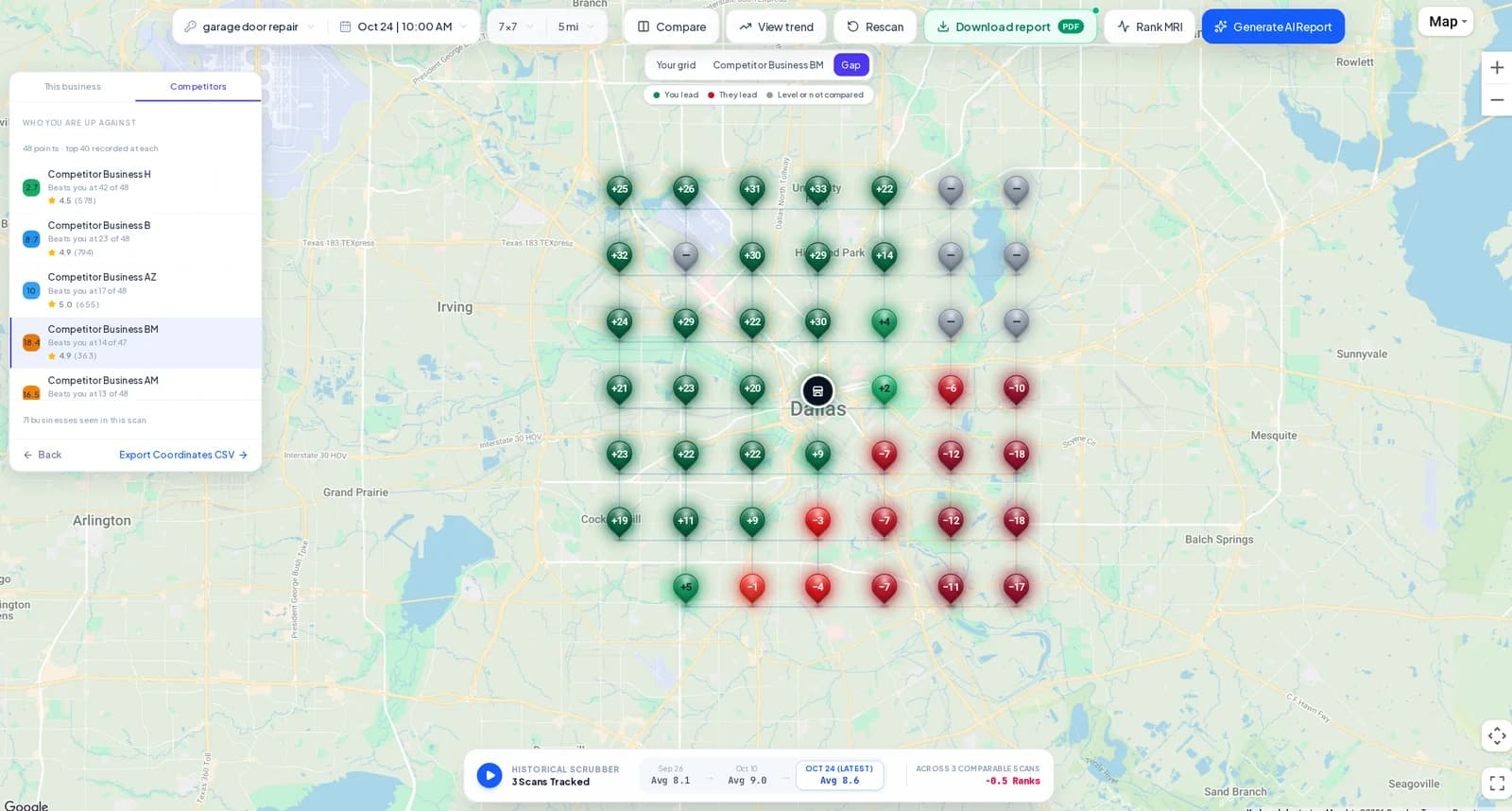
Share of local voice (SoLV) is the percentage of points in a geo-grid scan where a business ranks in the top 3 on Google Maps. If you rank in the top 3 at 20 of 81 points, your SoLV is about 25%. It answers a simple question: across the area you scanned, how much of it puts you in the map pack?
This guide covers the formula, worked examples, how SoLV differs from average rank, and how to use it in reporting without overstating what it means.
1. The formula
SoLV = points where the business ranks 1–3 ÷ all points scanned × 100.
Every point in the scan counts in the denominator, including points where the business does not appear at all. Excluded points, the ones you remove from a custom scan area, are not scanned and not counted.
2. Why the top 3
Google's local results in regular search usually show three businesses in the map pack before a “more places” link. Positions 1–3 are the ones a searcher sees without clicking further, so a top-3 share is a reasonable proxy for being visible where it matters most. Positions 4–10 still count for something, which is why GridBeacon also reports visibility: the share of points in the top 10.
3. SoLV vs ARP and ATRP
| Metric | What it counts | Best for |
|---|---|---|
| ARP (Average Rank Position) | Mean rank over the points where the business ranks | How well you rank where you appear |
| ATRP (Average Total Rank Position) | Mean rank over every point, counting each not-ranked point as 21 | Overall position, including where you are missing |
| SoLV (Share of Local Voice) | Percentage of all points in the top 3 | How much of the area puts you in the map pack |
ARP can flatter a business. Rank #2 at five points and nowhere else, and ARP is 2.0 while most of the area never sees you. ATRP and SoLV both count every point, so they expose that. Read the three together, and check the heatmap to see where the numbers come from.
4. Worked examples
These are illustrative numbers, not results from the screenshot above.
- Strong centre, weak edges. A 7 × 7 scan (49 points): top 3 at 18 points, ranked 4–10 at 15, not ranked at 16. SoLV = 18 ÷ 49 ≈ 37%. Visibility (top 10) = 33 ÷ 49 ≈ 67%.
- Everywhere, but rarely on top. Ranked 4–8 at all 49 points, top 3 at none. SoLV = 0%, even though the business appears at every point. The map pack goes to others.
- Same rank, different grid. The first business above rescanned on a 13 × 13 grid with a wider radius might drop to 20% SoLV without losing a single position near the office, because the new grid adds harder points at the edges.
The last example is why SoLV only compares between scans with the same keyword, centre, grid size, radius and excluded points.
5. Using SoLV in reports
- Track it per keyword. SoLV for “emergency plumber” and for “water heater installation” are different stories. Average them only with care.
- Compare against a competitor on the same scan. Because every scan records every business at every point, you can compare a competitor's top-3 coverage with yours from the same searches. The competitor analysis tools and Gap view show where each one leads.
- Report the trend, not one number. A move from 24% to 31% over several scans on fixed settings is meaningful. One scan's figure on its own says little.
- Across locations. GridBeacon's Keyword Reports and Location Reports show ARP, ATRP and SoLV for each location's latest scan, so you can see which branch needs attention. See local SEO reports.
6. What SoLV does not measure
SoLV is a share of grid points, not a share of searches, clicks or calls. Points are evenly spaced, but customers are not: a point over a dense neighbourhood and one over an industrial park count the same. Use it to describe ranking coverage across your area, and keep calls, leads and revenue in separate measures.
To see these numbers for your own business, the free Google Maps rank checker runs a 3 × 3 grid. For the full method behind every figure, read how GridBeacon checks rankings, and for choosing the grid itself, see how to choose a geo-grid size and radius.